· Quicky
Quicky: the hard part wasn't making it work, it was keeping it working
It was my first project that was truly online, open to anyone. What worked fine on my computer broke in new ways on the internet.
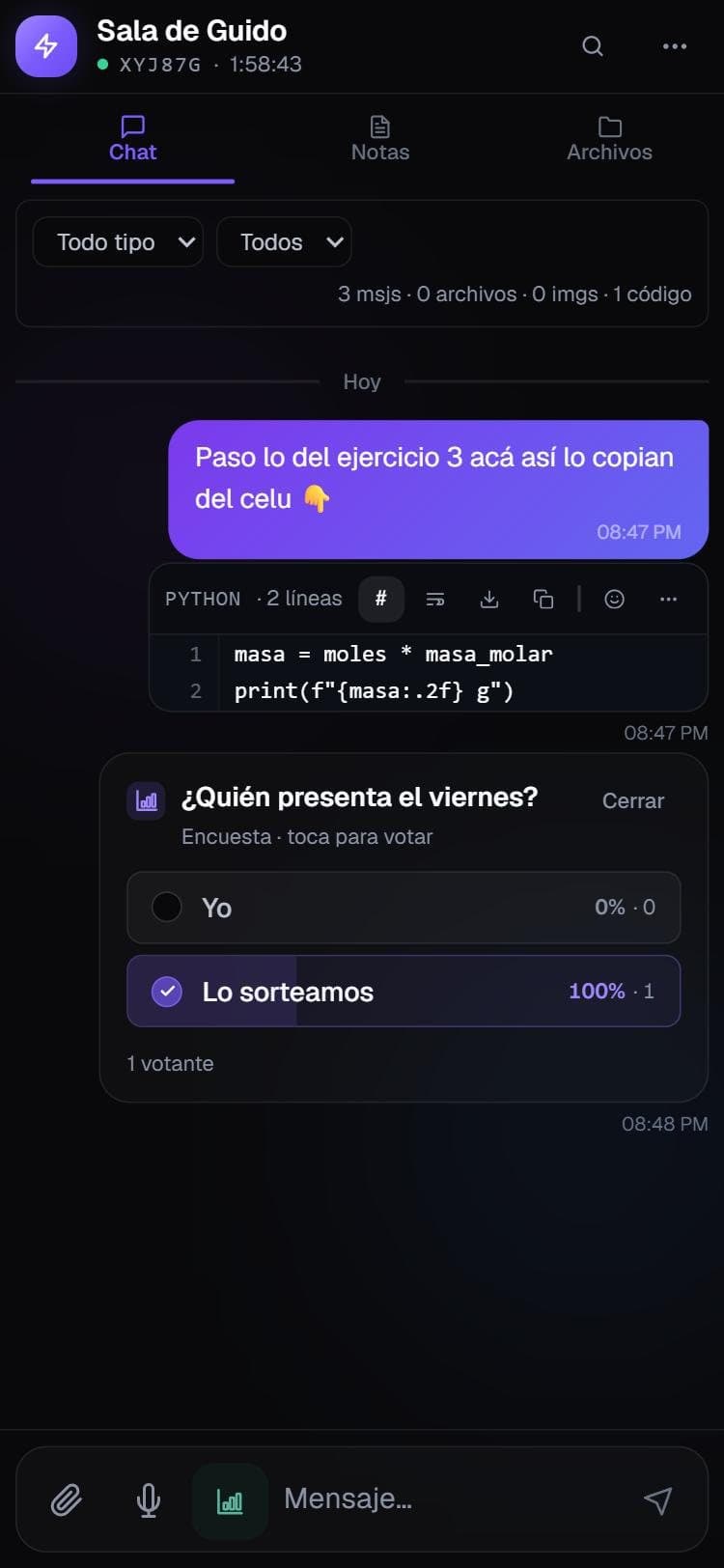
Quicky started on April 29 to solve a school problem: moving text, code and files between devices with no accounts and no hassle. You create a room, share a 6-character code, and after 2 hours everything is deleted. On my computer it worked right away. The problems started when I put it online for anyone to use.
1. My hosting wasn't built for this
The first version lived entirely on hosting meant for websites, which cuts off connections that stay open too long. For a real-time chat, those connections are everything: messages stopped arriving and you had to reload. I solved it by splitting the project in two: the website stayed where it was, and the real-time part and the files moved to their own always-on server.
2. Phones disconnect all the time
On a computer the connection is stable. On a phone it drops when you lock the screen, when you switch from wifi to data or when you walk into a classroom with no signal. Quicky had to notice on its own, show a "Reconnecting…" notice and hook back in without anyone touching anything.
3. The code got away from me
With AI I moved incredibly fast: in a month I had chat, files, polls, AI, collaborative notes and an admin panel. And a few weeks later I couldn't understand my own code. In early June I reorganized it from scratch into separate parts: the website, the server and what they share. RepoGuide came out of that problem.
4. If anyone can get in, anyone can break things
With no accounts, anyone can create a room. That forces you to think about what a demo never shows: limits so nobody can overload the server, an automatic brake if the disk starts filling up, and making sure an uploaded file can't be used against everyone else. I ran my own security audit and closed the holes I found, like a way to impersonate someone else inside a room.
5. Not breaking it when something changes
In the end I added automated tests and a check that, before every deploy, starts the whole app, creates a room and joins it. If anything fails, it doesn't ship. Without that, every fix was a gamble.
What I take from it
- Something working on my computer is half the job. The other half is keeping it working with other people in it, on other networks and other phones.
- Moving fast with AI is worth it if you take the time afterwards to understand what you built. If you don't, you pay for it with a rewrite.
- Not asking for accounts or storing data was a product decision, and it also made security much simpler: there's less to protect.
Quicky is shut down now. The full case study is here.
All notes
All notes →